
Know what is missing before the report is due.
Proofline is acquittal readiness for organisations that hold a grant or a funding agreement. Record the agreement, capture the obligations it creates, attach the evidence and have a named person check it. Proofline then tells you, in plain sentences and with a date on it, which obligations have evidence behind them, which do not, and what is exposed before the next report to the funder.
- Web app · any browser
- Made in Sydney
- Prototype · by enquiry
Winning the funding is not the end of it
The obligations carry on after the award, spread across spreadsheets, inboxes, shared drives, the accounts and somebody’s memory. Proofline is built for the organisation that receives the funding, not the funder, and it runs one loop.
-
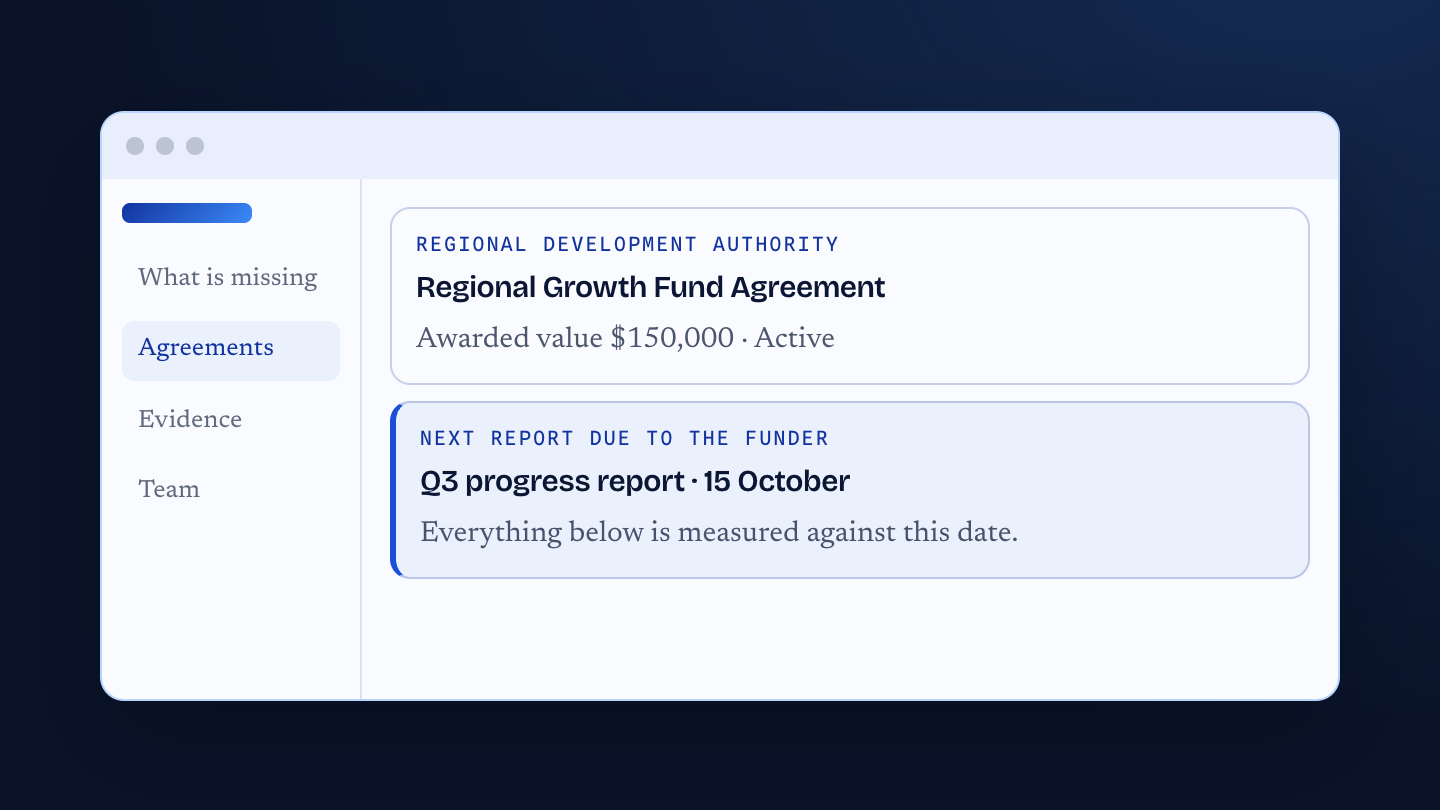
Record the agreement
The funder, the dates, the value, and the next report that is due. Everything else is measured against that date.
-
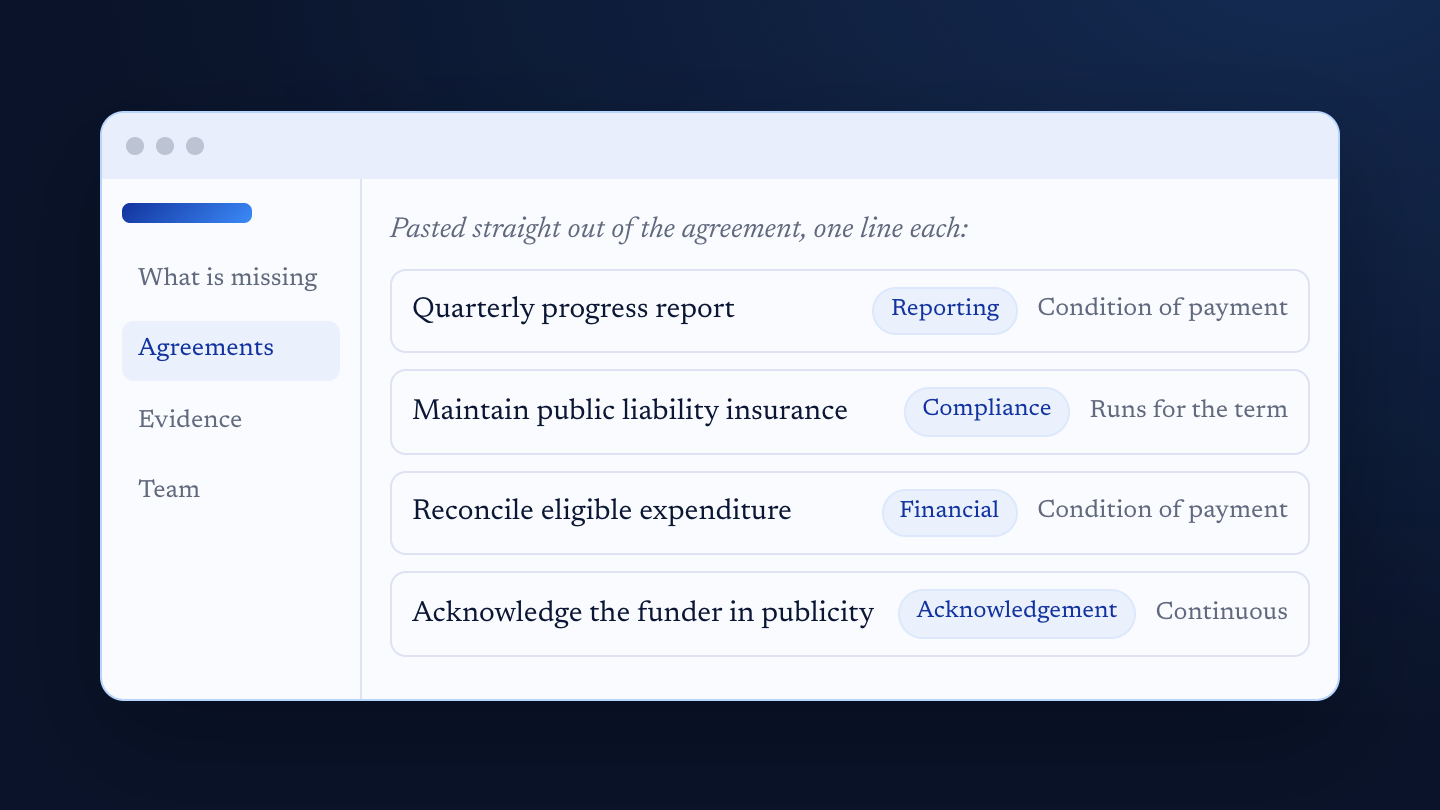
Capture the obligations
Paste them straight out of the agreement, one line each, then give each one a category, a due basis and whether payment depends on it.
-
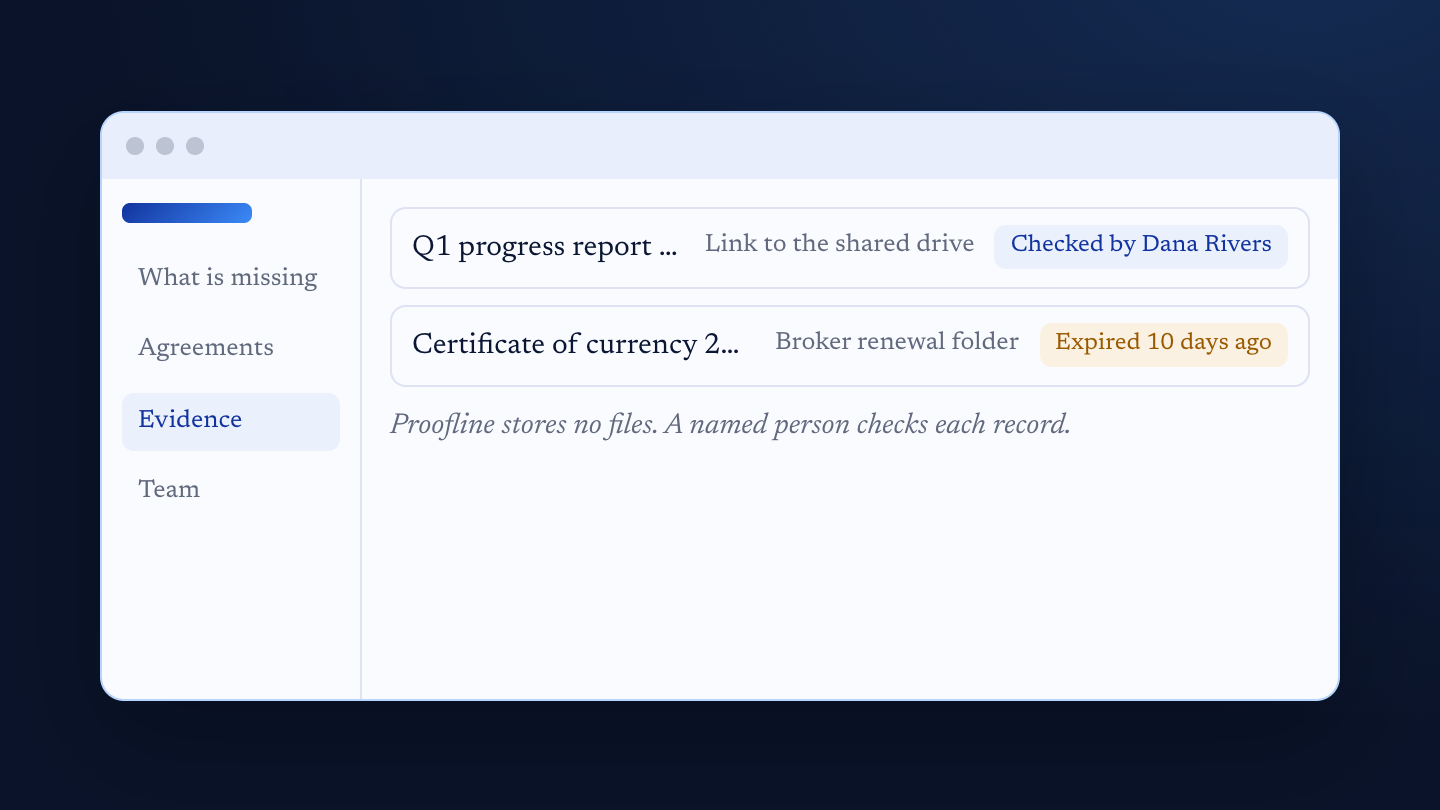
Attach the evidence
Where the artefact lives, how long it stays valid, and the name of the person who checked it. Expenses go on too, with their eligibility reviewed.
-
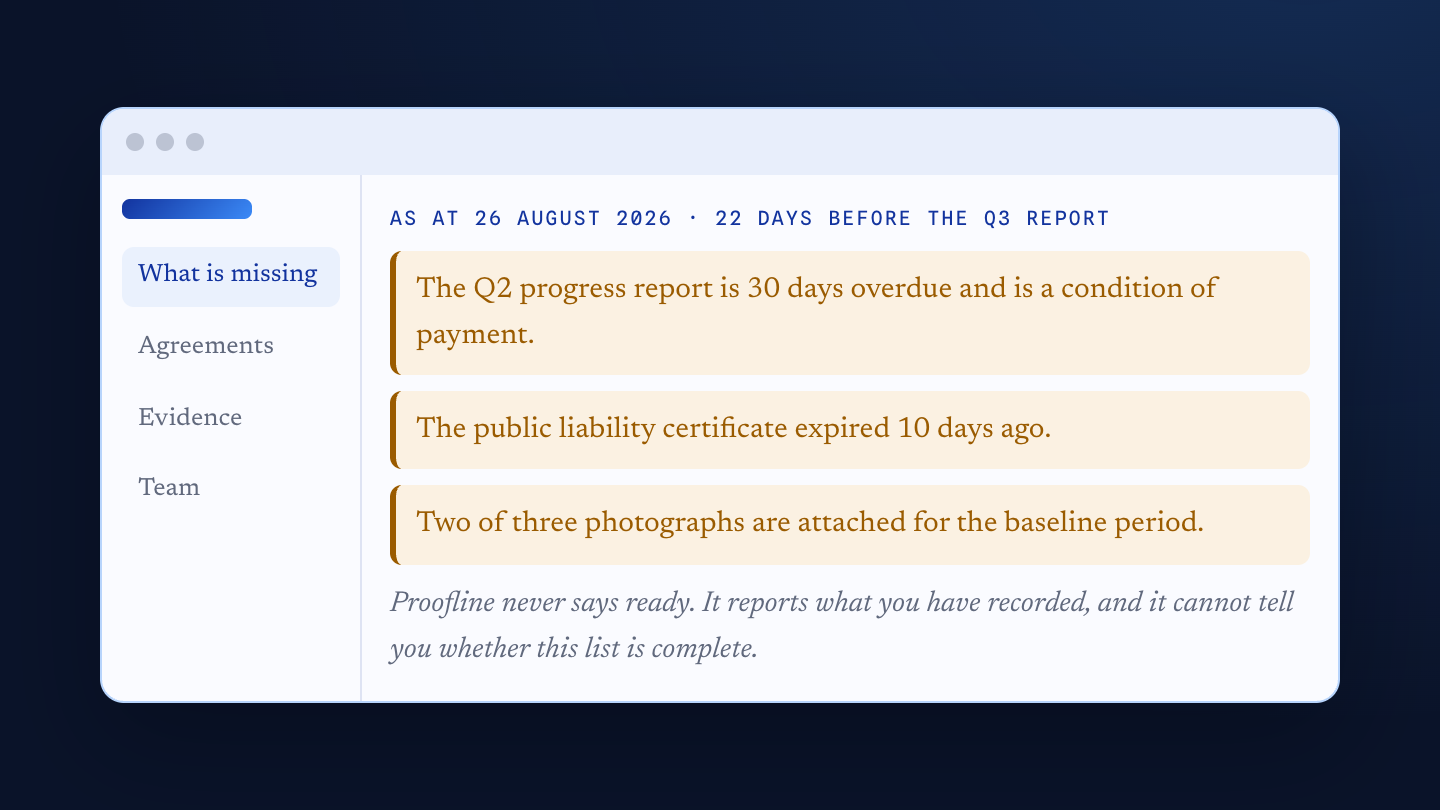
See what is missing
A dated statement in plain sentences: what is overdue, what has expired, what is incomplete, and how long you have before the report.
Nothing counts until a named person has attached the evidence and checked it.
The agreement, its obligations, and the proof behind each one
Obligations in six categories
Delivery, financial, reporting, compliance, acknowledgement and governance. Fixed dates, recurring reports, obligations that run for the whole term, and the ones that fall due only when the funder asks.
What the funder actually asked for
Each obligation lists its evidence requirements item by item, with counts: two financial statements, three photographs, one signed declaration. A partial set shows as partial.
Evidence with a name on it
A description, a date, a link to where the artefact already lives, a validity date, and the person who checked it. A certificate that has lapsed shows as expired, not as held.
The statement of what is missing
Dated, in sentences, ordered by what matters before the next report. Each line links to the place where it can be fixed.
A Monday morning reminder
Every administrator gets the statement by email each Monday, Sydney time, with a link into each item. One switch turns it off.
Drafting help, off by default
Optional. Paste the agreement text and a model proposes the obligations, each with the exact quote it came from, checked against your text. A person keeps, edits or discards every row. The organisation uses its own Anthropic key.
For the team
- Four roles: administrator, manager, contributor and viewer
- Invitations by email, and role changes as people move
- An activity log: every change to a record as a dated sentence
- Expenses linked to agreements and obligations, with eligibility review
- A guided first tour, and help where each field is
What it never says
- No percentage, gauge, traffic light or green state
- Never “compliant”, “acquittal ready”, “verified” or “proven”
- At most: nothing is outstanding that Proofline knows about
- A reconciliation or a signed declaration is flagged for you to check yourself
What Proofline is not
- Not a tool for funders or grant makers
- Not an accounting system, and no budget reconciliation yet
- Not a file store: your documents stay where they are
- Not a reader of your agreement: the list is the one you record
What you and your team see
What Proofline keeps, and what it never takes
Your files stay where they are. Proofline records evidence as a description, a date, a link to where the artefact lives and the name of the person who checked it. It does not accept, store or serve your documents.
Each organisation is kept apart. Every record belongs to one organisation, and the separation is tested on every release. Important changes are written to an audit trail with the person and the date.
Nothing goes to a model unless you say so. Drafting is off until an administrator reads the disclosure and turns it on, with the organisation’s own Anthropic key. That disclosure names the provider, the processing region (the United States) and its terms. Only text you paste is sent, and Proofline keeps none of it.
It prints its own limits. Proofline has not read your agreement and cannot tell you whether the list you recorded is complete. It says so next to every statement it makes.
Before you ask.
Who is it for?
Any organisation holding a grant or funding agreement with a report due: not-for-profits, community groups, social enterprises, researchers and small businesses funded by government or a foundation. It is built for the people who have to answer the funder, not for the funder.
Will it tell me we are ready for the acquittal?
No, on purpose. Proofline reports exposure: what is missing, overdue or expired as at a date. The strongest thing it will say is that nothing is outstanding that it knows about, because it only knows what you have recorded.
Do we upload our documents?
No. Evidence stays in your shared drive, your accounts or wherever it already lives. Proofline holds a link to it, its validity date and the name of the person who checked it.
Does AI read our funding agreement?
Only if an administrator turns drafting on and adds the organisation’s own key, and only the text someone pastes and sends. The model proposes; a person decides. The statement of what is missing never reads anything a model said.
How much does it cost?
Proofline is a prototype, and we are working with a small number of funded organisations to shape it. Write to us for a walkthrough and to talk about what it would take for yours.
Questions go to the person building it
Tell us about your funding agreement and when the next report is due. We will walk you through Proofline with a demonstration agreement and answer what it can and cannot do for you. Funded organisations · Australia · prototype
Get info →- Who makes it
- Company31 Pty Ltd, ACN 698 697 166, Sydney, New South Wales, Australia.
- Privacy
- The website policy covers this site.